Your screens,
in step with the sun.

Astro Dimmer gently turns your monitors down at sunset and brings them back up at sunrise, every day, without you lifting a finger.

Free and open source · Windows 10 and 11 · No administrator needed
Zip, to run without installing · Other releases, including ARM-based PCs

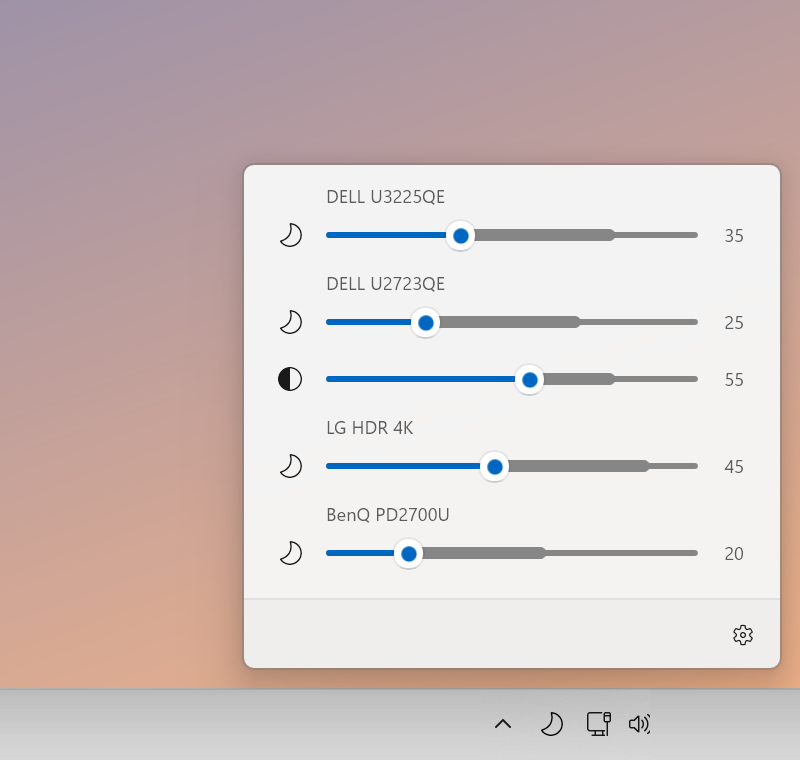
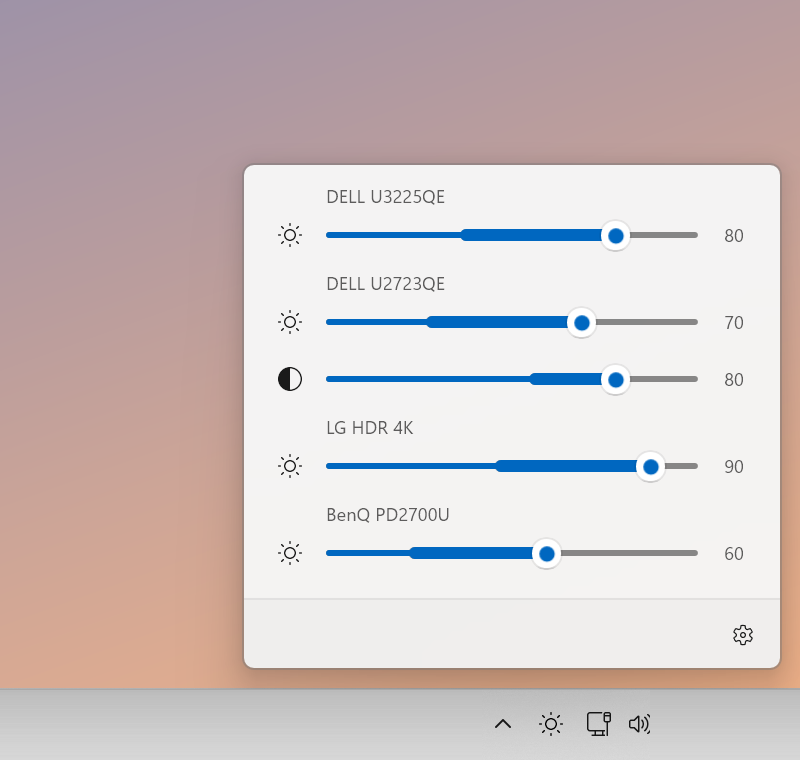
The Astro Dimmer panel at night: four monitors turned down to between 20 and 45 percent, with moon icons. The same panel by day: the four monitors back up at 60 to 90 percent, with sun icons.

How it works

Set it up once. Then forget about it.

Tell Astro Dimmer where you are and it works out when the sun rises and sets, every day of the year. Your screens follow along on their own.

Midnight6 amNoon6 pmMidnight

Sunrise

Screens ease back up as the day begins.

Daytime

Full, crisp brightness for a well-lit room.

Sunset

A slow, gentle fade as the light outside goes.

Night

Softer screens that are kinder to tired eyes.

Right where you need it

Every screen, one click away

Click the small icon at the bottom of your screen and a panel slides up with a slider for each monitor. It looks and feels like it came with Windows.

  • One slider per monitor, however many you have
  • A faint band on each slider shows its day-to-night range
  • Nudge a screen yourself and Astro Dimmer steps aside until the next sunrise or sunset
The brightness panel open above the taskbar, with sliders for four monitors.

Follows the sun

Knows when it gets dark where you live

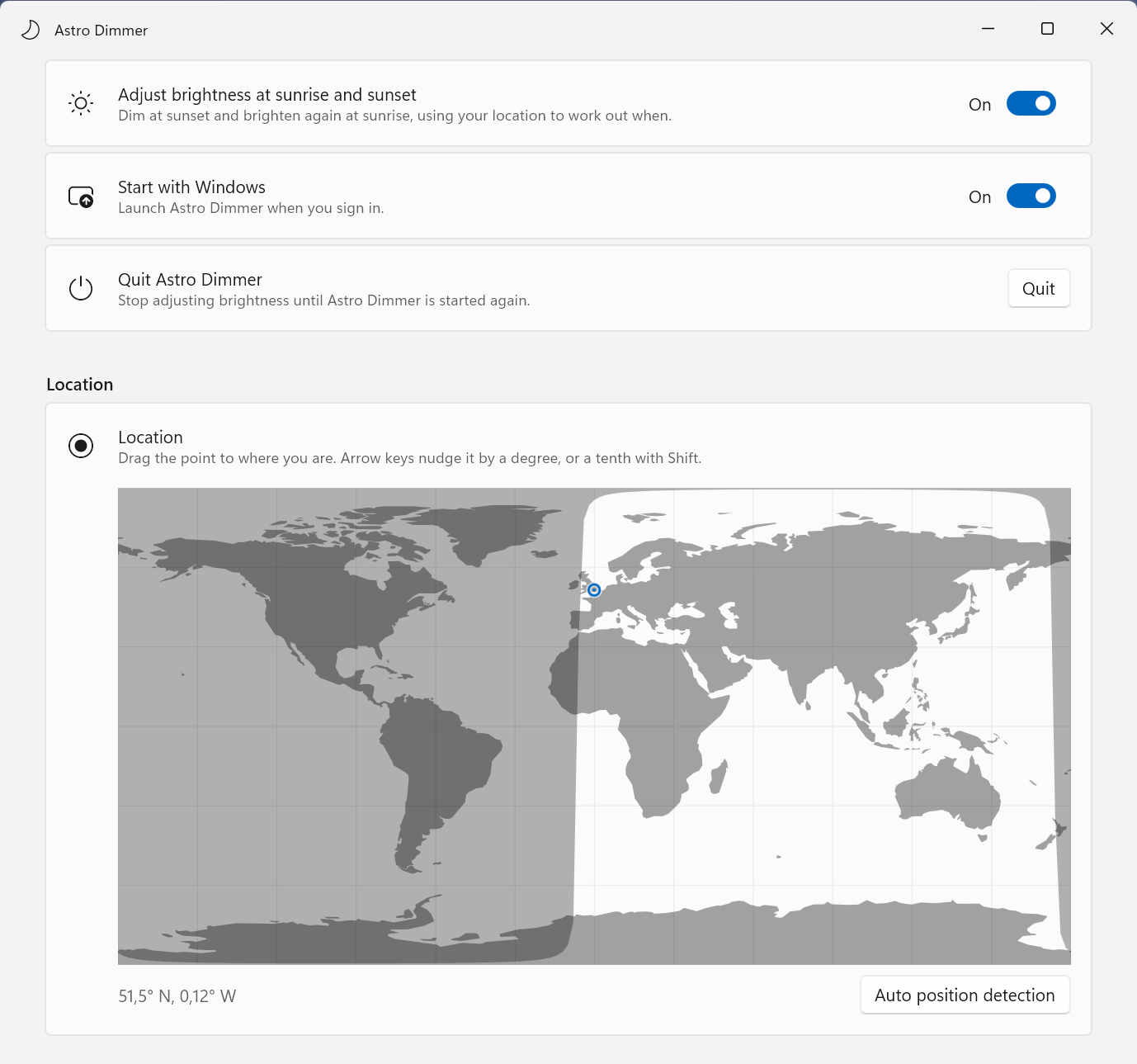
Drop a pin on the map, or let Windows find you, and Astro Dimmer does the astronomy. Sunrise in June is not sunrise in December, and it keeps up with both.

  • Works anywhere in the world
  • Your location stays on your computer
  • Starts with Windows, so it's always on duty
Astro Dimmer settings: switches for sunrise and sunset dimming and starting with Windows, above a world map with a pin placed on London.

Your timing

Earlier, later, or gradually

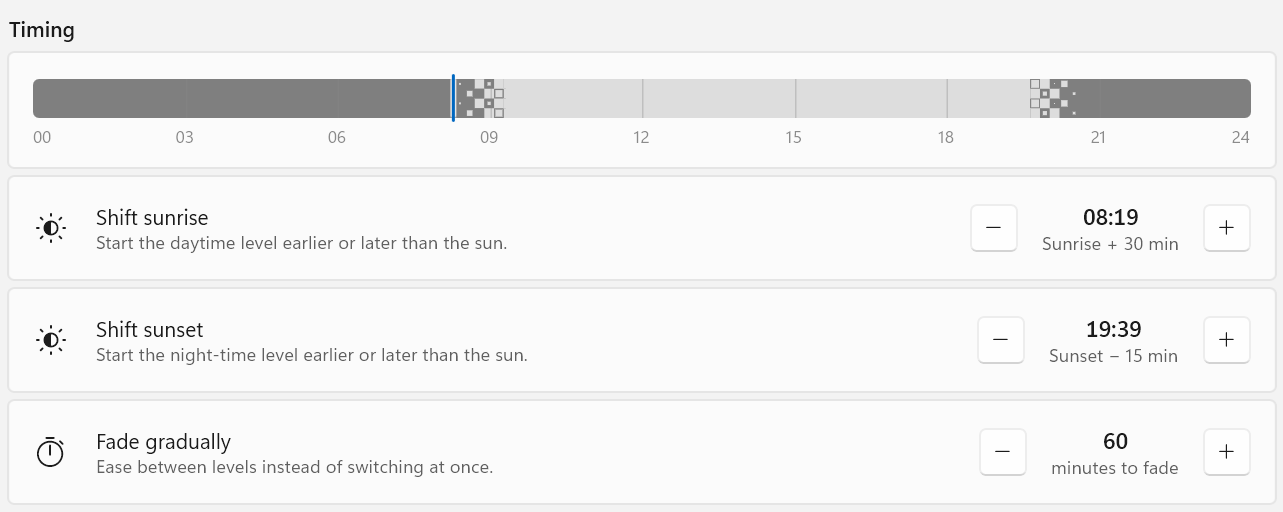
Like your screens bright a little longer in the evening? Shift sunset by up to three hours. Prefer a slow dusk to a sudden switch? Let the change fade in over an hour.

  • Move the sunrise and sunset change earlier or later
  • Fade gently, or switch at once
  • A timeline shows your whole day at a glance
Timing settings: a 24-hour timeline with sunrise at 08:19 and sunset at 19:39, and a 60-minute fade.

Every monitor its own way

A different level for each screen

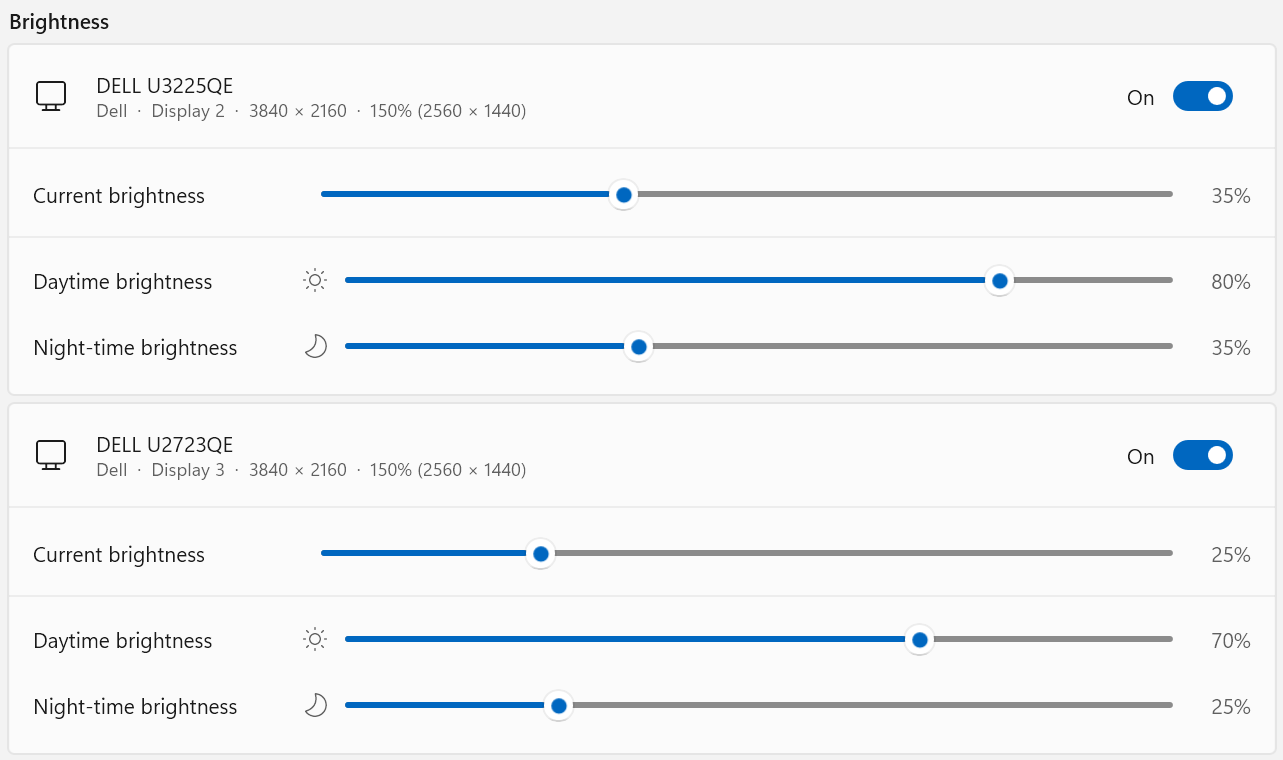
Your big main monitor and the one off to the side don't need to match. Pick a daytime and a night-time level for each, and Astro Dimmer moves them between the two.

  • Separate day and night levels per monitor
  • Sensible starting levels, read from each screen
  • Contrast can follow the schedule too, if you like
Brightness settings for two Dell monitors, each with its own current, daytime and night-time level.

The small things

Made to stay out of your way

Free, and private by design

No cost, no account, no sign-up. Your location is only used on your own computer.

Light as a feather

Sits quietly in the corner of your taskbar and uses next to nothing while it waits.

Speaks your language

Available in 19 languages, from Danish to Japanese, and follows your Windows setting.

Easy to install

A normal installer that needs no administrator password.

Plugs and plays

Connect or unplug a monitor and it notices by itself, no restart needed.

Tells you the time of day

Its icon changes between sun and moon, so you know which mode you're in at a glance.

Questions

Good to know

Will it work with my monitor?

Astro Dimmer works with separate monitors plugged into your computer, which covers most monitors sold in recent years, and with the built-in screen of a laptop. If a monitor doesn't show up, look in its own on-screen menu for a setting called DDC/CI and switch it on. A laptop screen follows the schedule for brightness only; contrast is for monitors that offer it.

Is it the same as Night Light in Windows?

No, and the two get along fine. Night Light makes the colours warmer. Astro Dimmer turns the actual brightness of the monitor down, the same as pressing the buttons on the screen itself. Many people use both.

What if I want it brighter right now?

Just drag the slider. Astro Dimmer respects your choice and leaves that screen alone until the next sunrise or sunset, then carries on as normal.

Where does my location go?

Nowhere. It is stored on your computer and only used to work out sunrise and sunset. If you press Auto position detection, Astro Dimmer asks Windows first, and only uses an online lookup if Windows can't say. More about privacy

Which versions of Windows are supported?

Windows 11, and Windows 10 from the October 2018 update onwards, on both regular PCs and ARM-based ones.

Can I use it without installing?

Yes. Each release also comes as a zip: extract it anywhere, open the AstroDimmer folder and run AstroDimmer.exe. Extract the whole zip first, as it won't run from inside it. Your settings are still kept in your Windows user profile, not in the folder. To update, quit Astro Dimmer from its tray icon and replace the folder with the new one.

How do I remove it?

Like any other app: open Settings › Apps › Installed apps, find Astro Dimmer and choose Uninstall. Running it from the zip? Turn off Start with Windows in its Settings, quit it, then delete the folder.

The fine print

Privacy

Astro Dimmer does not collect any data. It has no account, no analytics and no tracking, and it never sends anything to its developer. Your location and settings are stored only on your computer, in your Windows user profile.

This program will not transfer any information to other networked systems unless specifically requested by the user or the person installing or operating it. To find where you are, Astro Dimmer asks Windows location services for your approximate position: when you press Auto position detection, and once when Settings first opens with no location saved. Windows decides whether to answer, following your location settings. Only if you pressed the button and Windows can't say does Astro Dimmer ask the online service ipapi.co to estimate your location from your internet address. Nothing else is sent. Placing the pin on the map yourself needs no location lookup at all.

Let the sun set on your screens, too.

Download Astro Dimmer, pick your spot on the map, and enjoy calmer evenings from today.

Zip, to run without installing · Other releases